Example 1: From sketch to load path#
The notebook and its PDF are in Examples/Example 1 in the repository.
from decimal import Decimal
from papermodels.paper.pdf import load_pdf_annotations
from papermodels.datatypes.geometry_graph import GeometryGraph
from papermodels.datatypes.joist_models import JoistArrayModel
%matplotlib Inline
1. Create the graph#
The graph is now the primary entry point. Unfortunately, I have not implemented plotting annotations from the graph yet. That will be coming soon.
TODO:
Parse trib areas from the PDF markup and include them in the frame loading
Plotting annotations from the graph
Implementing the ability to mark an origin on the PDF mark (for pages that do not line up)
graph = GeometryGraph.from_pdf_file("sketch_to_scale.pdf", scale=Decimal(1 / 72 * 4))
graph.assign_collector_behaviour(JoistArrayModel, spacing=1.0)
les = graph.create_loaded_elements()
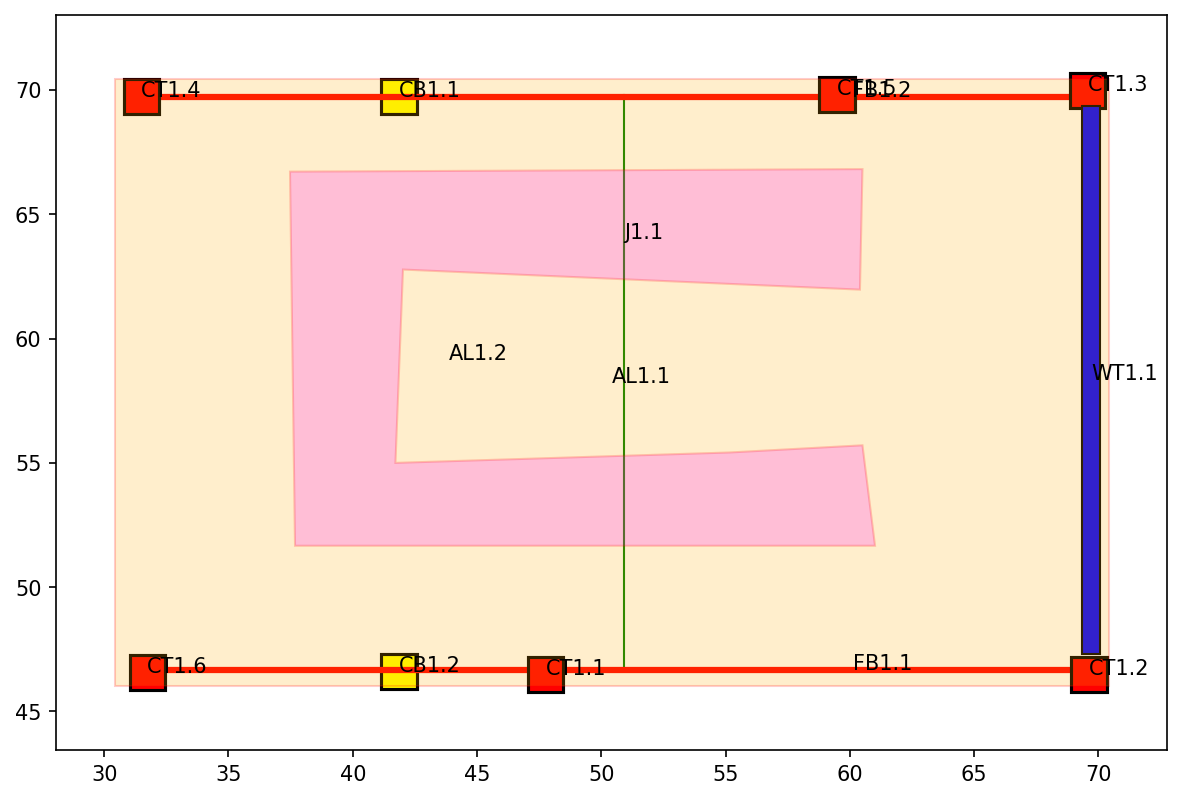
graph.plot_annotations(1)
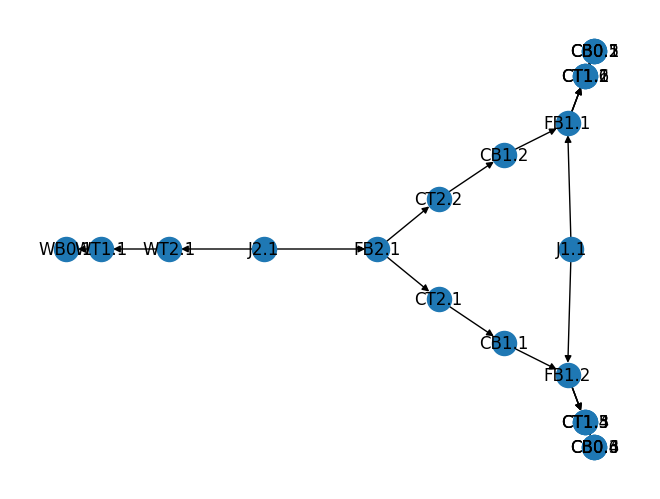
graph.plot_connectivity()
les['FB2.0'].model()
2. Output the model files#
Each LoadedElement is written to a JSON file, which can be read back into a dictionary with the standard library json module.
import pathlib
output_dir = pathlib.Path("model_files") / "json"
output_dir.mkdir(parents=True, exist_ok=True)

for tag, loaded_element in les.items():
    with open(output_dir / f"{tag}.json", "w") as file:
        loaded_element.dump_json(file)